Product overview:
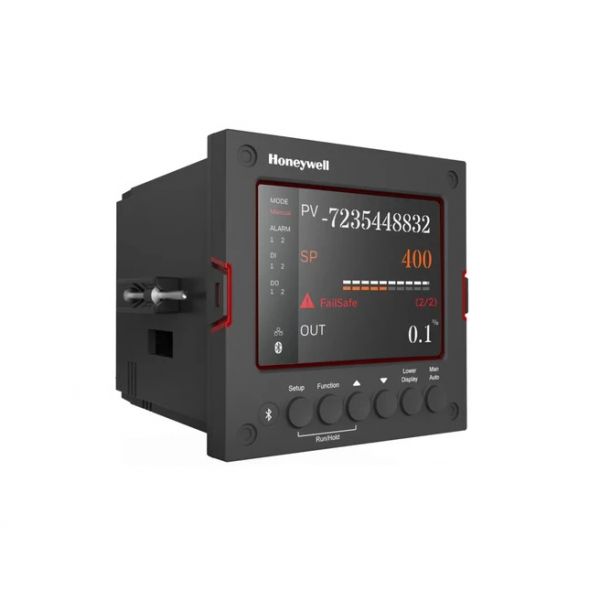
Accurate temperature and process regulation depends on a controller that reads input signals and adjusts equipment operation through configured outputs. The Honeywell DC2800CE0S02001000 Digital Controller is an OEM universal digital controller designed for panel-mounted process control applications. It provides a current control output, an electromechanical relay output, and an additional alarm relay for monitoring and control functions.
Process control functionality:
The controller accepts supported input signals from thermocouples, RTDs, voltage, and current sources. It processes these signals and uses its configured control output to help maintain the selected operating setpoint.
Output and alarm operation:
The current output supports modulating control applications, while the electromechanical relay and alarm relay provide switching and alarm functions. These outputs allow the controller to interact with connected equipment and respond to configured process conditions.
Replacement guidelines:
Replace the Honeywell DC2800CE0S02001000 controller when display readings become unreliable, input measurements are inconsistent, control outputs fail to respond, or alarm functions stop operating correctly. Before replacement, verify the complete model number, supply voltage, input configuration, output arrangement, and panel dimensions.
Common Failure Symptoms:
- Unstable or inaccurate process readings
- Display or keypad malfunction
- Control output not responding
- Relay switching problems
- Alarm output not operating correctly
Equipment compatibility:
The Honeywell DC2800CE0S02001000 Digital Controller DC2800-CE-0S0-200-100-00-0 OEM is a replacement option for systems designed around the same UDC2800 controller configuration. Verify the existing controller's input type, power supply, current output, relay and alarm arrangement, and panel mounting requirements before installation.
Technical Specifications:
Brand: Honeywell
Part Number: DC2800CE0S02001000
Model Number: DC2800-CE-0S0-200-100-00-0
Product Type: Universal Digital Controller
Power Supply: 100–240 VAC
 Loyalty Program