Product Overview:
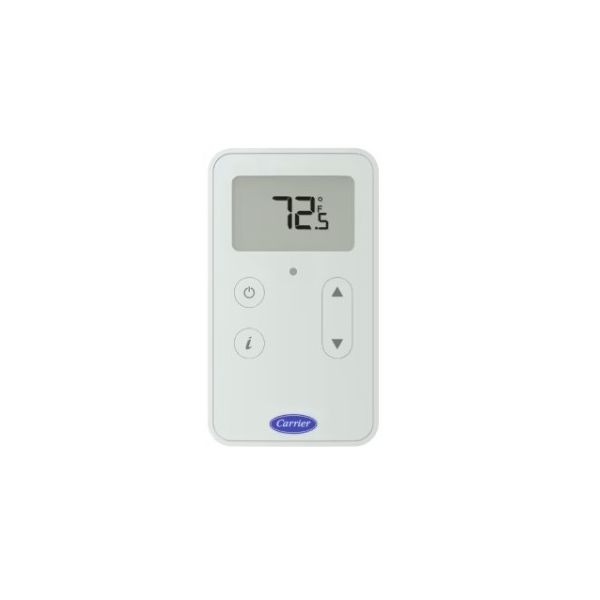
Room-level temperature monitoring and occupant control are supported by the Carrier ZS2P-CAR ZS Pro Temperature Sensor. Designed for compatible BACnet building automation systems, this sensor features an LCD display, push-button occupancy override, and adjustable temperature setpoint. Its user interface allows occupants to view room information, modify permitted setpoints, and interact with the programmed occupancy schedule. The ZS Pro design also includes an occupancy status indicator and a local access port.
Occupancy Control:
The push-button occupancy override allows users to change the zone's occupancy state according to the connected control program. Users can place the zone into an occupied state or force it into an unoccupied state when the programmed system permits these actions. The occupancy status indicator provides a visual indication of the current occupied condition.
Setpoint Adjustment:
The LCD display presents room-related information and allows users to adjust editable temperature setpoints through the sensor buttons. The displayed information and available adjustment options depend on the connected control program. Its local access port also supports maintenance and commissioning activities.
Replacement Guidelines:
Replace the Carrier ZS2P-CAR Temperature Sensor when the LCD display becomes unresponsive, occupancy override commands fail to register, or setpoint adjustments no longer function correctly. Match the ZS2P-CAR model and verify compatibility with the existing BACnet control system and Rnet sensor network. Inspect the communication wiring and controller configuration during replacement. A qualified building controls technician should confirm the network requirements and sensor configuration before installation.
Common Signs of Wear:
- LCD display becomes blank or unresponsive
- Setpoint adjustments fail to register
- Occupancy override commands do not respond
- Occupancy status indicator fails to operate correctly
- Room temperature information becomes unavailable
- Communication with the connected controller becomes intermittent
- Physical damage affects the sensor housing or buttons
Equipment Compatibility:
The Carrier ZS2P-CAR ZS Pro Temperature Sensor is designed for compatible BACnet building automation systems and Carrier i-Vu control installations. It connects to a controller through the Rnet sensor network and supports compatible airside, packaged indoor, packaged outdoor, and split-system applications. Verify the existing controller's Rnet compatibility and sensor configuration before selecting this replacement.
Technical Specifications:
Brand: Carrier
Part Number: ZS2P-CAR
Product Series: ZS Pro
Product Type: Temperature Sensor
System Type: BACnet
Communication: Rnet
Display: LCD
 Loyalty Program