Facebook Pixel

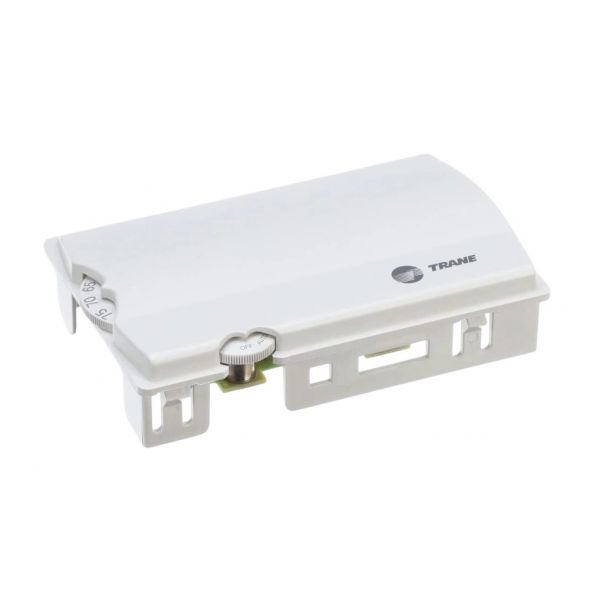
Trane SEN1519 3-Speed Fan Sensor

Special Price $130.53 Regular Price $150.11
In stock
SKU
SEN1519
The Trane SEN1519 is a 3-speed fan sensor specifically designed for Trane HVAC equipment. This small, cube-shaped sensor (measuring 1 inch on all sides and weighing 0.22 pounds) plays a vital role in regulating airflow within your system. By monitoring the air temperature inside the unit, the sensor transmits a signal to the control board. The control board then adjusts the fan speed accordingly, maintaining desired comfort levels and optimizing system efficiency. This 3-speed functionality allows for tailored airflow based on heating or cooling needs. The Trane SEN1519 typically operates within a temperature range of 32°F to 120°F.
https://www.partshnc.com/media/catalog/product/s/e/sen1519_1.jpg

Specifications

  • Operating Voltage: 10kΩ
  • Temperature:32°F-120°F
  • No of Speeds:3
  • Length:1 Inch
  • Width:1 Inch
  • Height:1 Inch
  • Weight:0.22lbs
Manufacturer Name: Trane
Product Number: SEN1519
OEM Part Number: SEN1519
Product Description: 3Speed Fan Sensor
Weight:0.22lbs/99.79g

Choose the best HVAC equipment parts and supplies from PartsHnC!

  • Same Day Shipping

  • Best Quality And Best Price

  • Wide Range of Inventory

  • Best Customer Service

Have More Questions or Need Help to Place The Order?
Reach us at (866)773-0907 or [email protected]

Write Your Own Review
You're reviewing:Trane SEN1519 3-Speed Fan Sensor
Your Rating
Customer Questions
What maintenance is required for the Trane SEN1519 Fan Sensor?

Inspect wiring connections regularly and ensure terminals are tight to prevent signal loss. Clean dust buildup from the sensor housing to maintain accuracy. Periodically verify calibration. Avoid moisture exposure and power down system before servicing for safety.

What are common issues with the Trane SEN1519 3-Speed Fan Sensor?

  • Inaccurate speed sensing.
  • Loose wiring or connector faults.
  • Intermittent fan speed switching.
  • Dust affecting sensor response.
  • Failure to detect speed changes.
  • Inconsistent fan speed readings.
  • Sensor communication dropouts with controller.

Installation Steps

Step 1: Turn off power to the unit.

Step 2: Remove existing sensor and note wiring positions.

Step 3: Mount new sensor in the designated bracket placed.

Step 4: Connect wiring to matching terminals as per diagram.

Step 5: Secure sensor firmly and ensure proper alignment.

Step 6: Restore power and test all fan speeds.